Deze uitleg is beschikbaar in het Engels.
In this tutorial we will explain how you can adjust your personal settings like your e-mail address, password and the language of the site.
First log in on My Ladyboy Cupid by clicking on the ‘Sign in’ button at the top of the page.

Once signed in click on your Username in the top right corner, a new menu will appear.
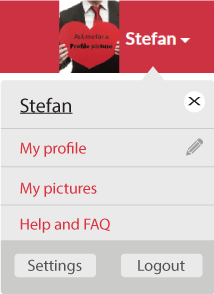
Click on Settings button and it will redirect you to the ‘settings’ page where you can change your Personal Settings.
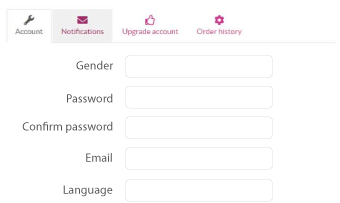
Here you have the option to change your gender*, password, e-mail address and the website language.
If you made changes, press the ‘Submit’ button to save them.

When changing the password, the system wants you to log out and then sign in again with your newly chosen password.
And changing your email will require you to activate your account again.
* = To change your gender, please Contact customer support.
If you have any questions, you can always contact our customer service. We can be reached 24/7 by using the contact form
If you want to read this explanation again at your convenience, then click here to download the PDF file